Two Ways to Start Calendar Sync in Cubbily
You can start syncing from the Calendar page when adding schedules, or from Settings when managing connected calendars.
1
From the Calendar Page
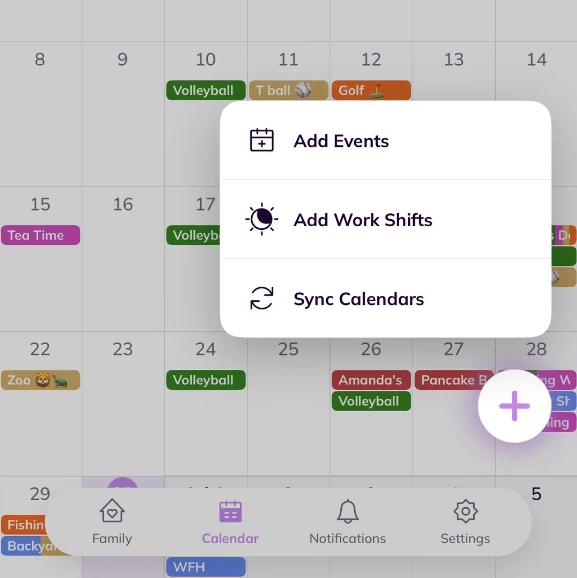
Open the Calendar page, tap the round plus button in the lower-right corner, then choose Sync Calendars from the expanded menu. The same button also gives access to Add Events and Add Work Shifts.
2
From Sync Settings
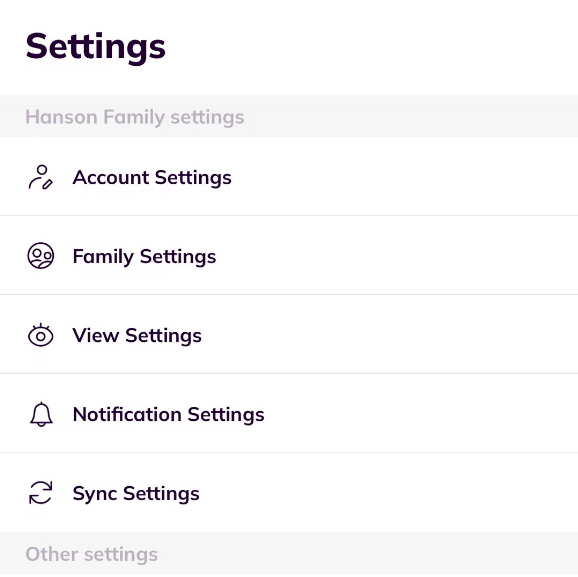
Open Settings page, then go to Sync Settings to add, review, or manage connected calendars and calendar subscription links.
How to Sync Common Calendars to Cubbily
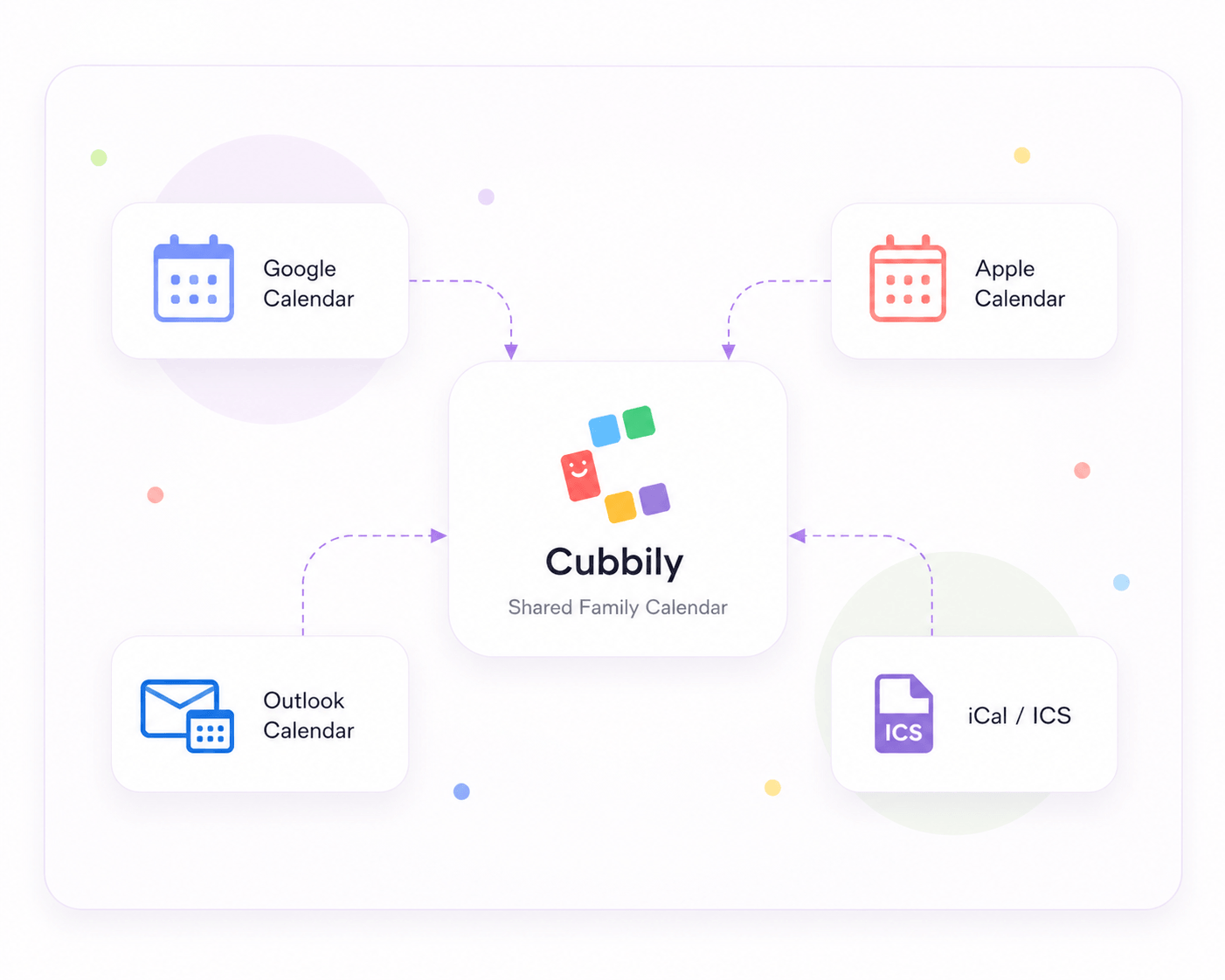
Start by choosing the right method: use account sync for Google, Apple, or Outlook calendars when available, or use iCal/ICS links for school calendars, sports schedules, team apps, class platforms, and other internet calendars.
How to Sync Google Calendar to Cubbily
- Open Cubbily and go to Sync Calendars from the Calendar plus button, or open Settings → Sync Settings.
- Choose Google Calendar as the calendar source.
- Sign in with the Google account that contains the calendar you want to sync.
- Allow Cubbily to access the calendars needed for sync.
- Select the Google calendars you want to show in Cubbily, then confirm.
- Google Calendar events will appear in Cubbily beside family schedules, work shifts, lists, chores, and reminders.
How to Sync Apple Calendar to Cubbily
- Open Cubbily on your iPhone or iPad.
- Go to Sync Calendars from the Calendar plus button, or open Settings → Sync Settings.
- Choose Apple Calendar as the calendar source.
- Sign in or authorize access with the Apple account connected to your calendar.
- Select the Apple calendars you want to sync into Cubbily.
- Apple Calendar events will appear in Cubbily’s family calendar and stay connected through two-way sync.
How to Sync Outlook Calendar to Cubbily
- Open Cubbily on your iPhone or iPad.
- Go to Sync Calendars from the Calendar plus button, or open Settings → Sync Settings.
- Choose Outlook Calendar as the calendar source.
- Sign in with the Outlook or Microsoft account that contains the calendar you want to sync.
- Allow Cubbily to connect to the selected Outlook calendars.
- Outlook events will appear in Cubbily’s shared family calendar beside family events, shifts, reminders, and lists.
How to Add an iCal or ICS Calendar Link to Cubbily
- Copy the iCal or ICS subscription link from your school, sports team, work schedule tool, activity provider, or calendar service.
- Open Cubbily and go to Sync Calendars from the Calendar plus button, or open Settings → Sync Settings.
- Choose iCal / ICS URL as the sync method.
- Paste the calendar subscription link into Cubbily.
- Confirm the import and wait for Cubbily to load the events.
- Imported iCal/ICS events will appear in Cubbily as a one-way calendar feed.
How to Find iCal or ICS Links for School, Sports, and Team Calendars
Many school platforms, sports apps, class tools, team schedule services, and work schedule tools let you subscribe to a calendar feed.
School and Classroom Calendars
- Open the school, classroom, or parent portal calendar.
- Look for Calendar Settings, Share Calendar, Subscribe, Export, iCal, or ICS.
- Copy the calendar subscription URL.
- Open Cubbily → Sync Calendars or Settings → Sync Settings.
- Choose iCal / ICS URL, paste the link, and confirm.
Sports, Team, and Activity Schedules
- Open the team, class, or activity schedule page.
- Find Subscribe, Export, Add to Calendar, or Calendar Feed.
- Copy the iCal/ICS subscription link if one is available.
- Open Cubbily and choose iCal / ICS URL.
- Paste the link so the events appear in your family calendar.
Work Shift or Work Schedule Tools
- Open your work schedule or shift scheduling tool.
- Look for Export Calendar, Subscribe Calendar, iCal, or ICS.
- Copy the calendar URL provided by the work schedule tool.
- In Cubbily, open Sync Calendars or Sync Settings.
- Add the URL as an iCal / ICS calendar feed.
Important: iCal/ICS feeds are one-way imports in Cubbily. If a school, team, or work schedule changes, the updated event comes from the original source calendar.
What Happens After You Sync a Calendar?
Synced events become part of the family schedule view, so your household can plan around real work, school, sports, and personal commitments.
Events Join the Family Calendar
Synced events appear beside Cubbily family events, shared plans, appointments, activities, and reminders.
Schedules Stay Easier to Read
Use Cubbily’s shared calendar view to understand family schedules without switching between multiple calendar apps.
Plans Connect with Tasks
Use Family Lists, chores, grocery lists, reminders, and work shifts beside synced events.